

Many ecommerce brands are already running performance max campaigns, or at least thinking about them. Most launched one out of curiosity, were pushed to try it by a Google rep, or watched a competitor mention it and started wondering what they were missing. What’s far less common is actually understanding what the campaign type does under the hood and why results vary so wildly from one account to the next.
The core tension with Google’s Performance Max is real: you’re handing significant control over to the algorithm, and that’s either a growth lever or a budget drain depending on what you feed into the system. The algorithm is only as good as the inputs it receives. Give it a clean feed, strong creative assets, quality audience signals, and a logical campaign structure, and it can unlock inventory your other campaigns never touched. Give it gaps and weak signals, and it will spend freely while it figures things out, on your dime.
At EcomTalkPoint, our team has managed Performance Max campaigns for ecommerce brands across both scenarios. That experience means we’ve seen firsthand where setup typically breaks down and what it takes to get a campaign working in a brand’s favor. This article covers what you actually need to know: what the campaign type is, how it uses Google’s full network, what assets and feed quality it requires, when it makes sense to launch, and how to measure whether it’s genuinely delivering.
What Google’s Performance Max campaign type actually is
A single campaign that runs everywhere Google sells ads
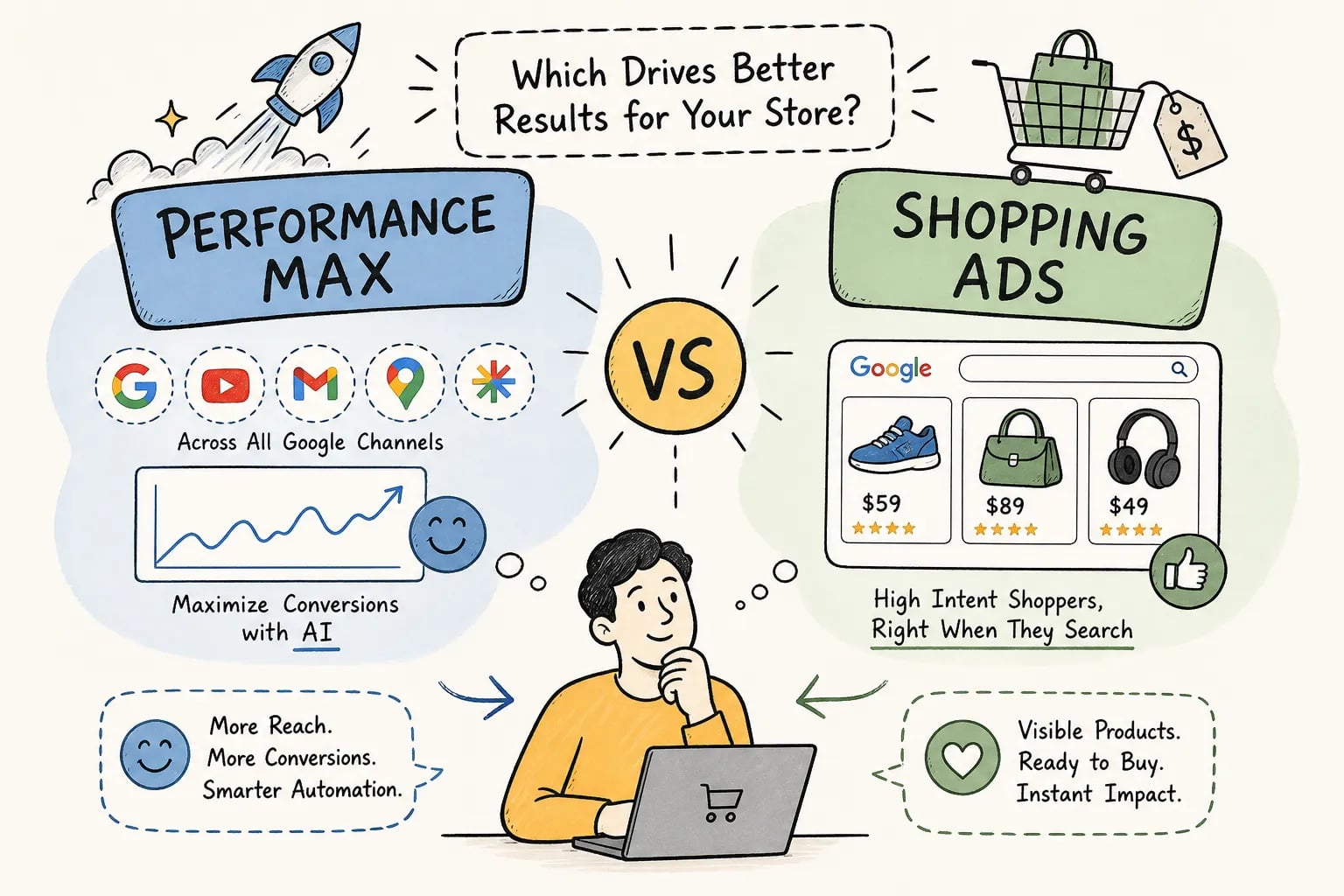
Performance Max consolidates all of Google’s ad placements into a single campaign structure. Unlike Search or Shopping campaigns that operate within specific networks, it uses machine learning to serve ads across Google Search, Shopping, Display, YouTube, Discover, Gmail, and Maps simultaneously. You supply the creative assets and define the business goals; Google’s algorithm decides where, when, and to whom to show the ads based on conversion probability.
This is a meaningful shift from how most ecommerce brands think about paid advertising. You’re not controlling placement at the network level, you’re influencing the algorithm through the quality of what you give it. One practical implication: brands that treat asset quality as an afterthought will find the algorithm has very little to work with when making placement decisions.
How Performance Max differs from Smart Shopping and standard campaigns
Smart Shopping was the predecessor, and many ecommerce brands still think of Performance Max as a direct upgrade from it. The expansion is real: the newer format added non-shopping inventory like YouTube, Discover, and Gmail, and gave Google’s algorithm far more autonomy over placement decisions. Standard Shopping campaigns, by contrast, give you direct control over product groups, bids, and negative keywords with clearer shopping-specific reporting. If your priority is tight margin control and granular visibility, Standard Shopping is stronger. If your priority is scale and reach across Google’s full inventory, Performance Max is built for that.
How Performance Max campaigns use Google’s full network
Every channel Google owns, running simultaneously
A Performance Max campaign can serve across multiple channels at once:
- Search, text ads triggered by relevant queries
- Shopping, product listing ads in the shopping tab and search results
- Display, banner and responsive ads across the Google Display Network
- YouTube, pre-roll and in-feed video ads
- Discover, native ads in the Google feed on mobile
- Gmail, ads in the promotions tab
- Maps, local inventory ads
The algorithm shifts budget dynamically between these placements based on where it predicts the highest conversion probability for your specific goals. There’s no fixed channel allocation you set manually.
Why this matters for ecommerce specifically
For ecommerce brands, Shopping and YouTube often drive the most direct purchase activity in many accounts, while Display and Discover frequently contribute to awareness and retargeting reach. The critical point is that Performance Max doesn’t let you dictate which channel gets budget, but you can influence the distribution through asset quality, product feed health, and audience signals. Brands that understand this work with the algorithm rather than against it. Brands that don’t end up confused about why spend went somewhere unexpected and why results are inconsistent.
What creative assets and product feed Performance Max needs to perform
The required vs. recommended asset breakdown
Performance Max assembles ads dynamically from the assets you upload into asset groups. The minimum requirements are 3 headlines, 1 long headline, 2 descriptions, 1 landscape image, and 1 square image. Google’s recommendations go significantly beyond those minimums:
- 11+ headlines, with at least one at 15 characters or fewer
- 2+ long headlines
- 4+ descriptions
- 4+ landscape images at a 1.91:1 ratio
- 4+ square images at 1:1
- At least 2 portrait images at 4:5 for mobile-first placements like YouTube and Discover
- At least one video
According to third-party reporting on 2026 platform updates, asset groups now support up to 15 videos, which makes strong video creative increasingly important for competitive Performance Max optimization. Richer asset sets give the algorithm more combinations to test across placements. Brands that upload only the minimums are essentially running the campaign with one hand tied behind their back.
Why feed quality is the foundation for ecommerce Performance Max
For ecommerce brands running product ads, the Merchant Center feed matters as much as the creative assets. If your feed has missing attributes, incorrect pricing, poor product titles, or incomplete image sets, the campaign will either limit your shopping inventory eligibility or serve those products in suboptimal placements. Strong product titles with relevant keywords, clean GTINs, accurate category mapping, and high-quality product images are what make the shopping component actually competitive. A campaign built on a weak feed will underperform regardless of how well the rest of the setup is structured.
When Performance Max campaigns make sense for your ecommerce brand
The account conditions that set PMax up for success
Performance Max works best when the algorithm has enough conversion signal to learn efficiently. The practical benchmark before applying Target ROAS bidding is at least 30 conversions in the last 30 days, with 50 or more being a safer threshold and 150 or more being where tROAS becomes consistently dependable. Beyond conversion volume, brands positioned to see strong results typically have clean conversion tracking, a healthy Merchant Center feed, strong creative across multiple asset types, and first-party audience data from existing customers. When those conditions are in place, the campaign can access inventory and reach audiences that more segmented campaigns miss entirely.
When to hold off and build the foundation first
If your account is newer, your conversion tracking is inconsistent, or your product feed is incomplete, launching Performance Max will likely result in wasted budget during an extended learning phase. Brands in this position see better returns by starting with a structured Standard Shopping campaign and targeted Search campaigns first. The learning phase for a new campaign typically runs four to six weeks, and during that period you should avoid frequent changes to budget, bidding strategy, or assets, those changes can reset or extend learning. Building the foundation first isn’t a step backward; it’s what makes the campaign perform when you do launch it.
Why structure separates performance from wasted budget
The “turn it on and hope” problem most brands run into
The most common mistake ecommerce brands make with Performance Max is treating it like a set-and-forget campaign. Google’s automation is powerful, but it optimizes toward the signal you give it. If your asset groups lack structure, your audience signals are generic, and your bid strategy starts too aggressively, the algorithm will spend heavily while it learns, and that learning cost comes directly out of your budget. Many brands see an initial ROAS dip and shut the campaign down before it has had enough time or data to stabilize. Pulling the plug at week two is almost always too early.
How a strategic setup changes the outcome
Campaign architecture is what turns Performance Max from a black box into a predictable growth channel. A few specific moves drive the most impact:
- Structure asset groups by product category or intent level
- Layer in first-party audience signals from your highest-value customer lists and recent purchasers
- Sequence bid strategy from Maximize Conversions to Target ROAS as conversion data accumulates
- Monitor placement reports regularly and apply exclusions where needed
These are the levers that actually move performance. Based on third-party reporting on 2026 platform updates, PMax also supports search themes at up to 50 per asset group, which lets you seed search intent during setup and guide the algorithm toward relevant query types from day one, a useful lever for PMax best practices around topical relevance.
At EcomTalkPoint, the approach always starts with strategic setup, not the campaign toggle. The goal is to give Google’s algorithm quality inputs from the start so the automation works in your favor rather than running loose with your budget.
Measuring whether PMax is actually working
The reports and metrics worth monitoring
PMax reporting has improved meaningfully in 2026. The channel performance report shows impressions, clicks, conversions, and conversion value by network, which helps you understand where the algorithm is distributing spend. Asset group reports show how individual creative sets perform against each other. The budget pacing report inside the campaign UI now projects month-end spend, which is genuinely useful for financial planning. For ecommerce brands, the core metrics to track weekly are conversion value, ROAS, cost per conversion, and units sold. These numbers tell you whether the campaign is generating profitable revenue, not just activity.
Why attribution data and true lift are different things
Performance Max gets credit through whatever attribution model is assigned to your conversion actions, which means it can show strong in-platform numbers while some of those conversions would have occurred without the campaign at all. The channel performance report follows that attribution model and can assign credit to the campaign without isolating the incremental impact. If you want to understand true lift, a holdout test or a formal incrementality experiment is the right approach. Use in-platform metrics to optimize and diagnose; use controlled tests to validate that the campaign is generating net-new revenue. Both types of measurement serve a purpose, and conflating them is where brands end up overvaluing campaigns that look good on paper but aren’t actually moving the needle.
Set up PMax to work, not just to run
Performance Max campaigns are genuinely powerful for ecommerce brands, but results depend almost entirely on the inputs you give the system. A strong product feed, rich creative assets, quality first-party audience signals, and a logical campaign structure are what allow the automation to do its best work. Without those foundations, the campaign burns through its learning phase, delivers inconsistent results, and gets shut down before it ever hits its stride.
If you’re considering a launch or already running Performance Max without a clear structure, start by auditing your inputs before adjusting bids or budgets. Review your conversion tracking, check your Merchant Center feed for gaps, and confirm your audience signals are built from your highest-value customer data. Fix the foundation first, then optimize.
EcomTalkPoint works specifically with ecommerce brands to build and manage Google Performance Max campaigns structured for profitable growth, not just volume. If your current campaigns aren’t delivering the ROAS your business needs, reach out to discuss what a proper audit and rebuild would look like for your account.