

Ecommerce brands pour serious budget into Google Shopping, watch ROAS sit at 2x when it could be significantly higher, and then conclude the channel doesn’t work for them. The channel works fine. The structure doesn’t. Shopping campaign optimization starts with recognizing that most accounts run as one undifferentiated pile of products, all competing at the same bid regardless of margin, device, or search intent. That’s the actual problem, and it’s fixable.
This article breaks down 10 shopping campaign optimization strategies grouped across five core areas: feed quality, campaign structure, query control, bidding, and tracking. These are the same levers pulled when rebuilding an underperforming Shopping account from the ground up. Work through them in order and you’ll have a clear picture of exactly where your campaigns are leaking ROAS and what to do about it first.
1. Your product feed is the starting point for everything
Feed quality is foundational, many bidding or structural changes will have limited impact if the feed is poor. Google Shopping doesn’t use keyword lists the way Search campaigns do. Instead, it matches your products to search queries based on your feed data, which means the quality of your titles, attributes, images, and GTINs directly determines which searches you show up for and whether users click when you do.
Strategy 2: Fix GTINs and upgrade images to recover lost CTR
Strategy 1: Rewrite titles and attributes to match how buyers actually search
Titles are Google’s primary matching signal for Shopping ads, and front-loading them with the most commercially relevant terms is among the highest-impact changes you can make to your feed. Structure titles with product type first, then brand, then key attributes like size, color, or material. A title that reads “Men’s Trail Running Shoe, Brooks, Size 11, Waterproof” will match far more relevant queries than “Brooks 110360 Athletic Footwear.” Practitioners consistently report that optimized, front-loaded titles produce 15, 20% CTR improvements on average, with some implementations seeing lifts of 30, 60% over generic manufacturer titles.
Attributes like product type, gender, age group, and item group ID improve visibility in filtered and long-tail searches. Weak attributes mean missed impressions on high-intent queries. Strong attributes drive coverage at lower CPCs. Start your audit with your top 20% of products by revenue and rewrite those titles first, that’s where ROAS impact will be highest, and it keeps the project manageable.
Correct GTINs improve product recognition in Google’s catalog database and are directly tied to measurable performance gains. Google’s Merchant Center data indicates retailers who added correct GTINs averaged a 20% increase in clicks. Missing or incorrect GTINs can suppress impressions, especially for branded products where Google cross-references catalog data to validate listings.
Images are the most visible element in any Shopping ad, and they do their work before the bid even matters. Blurry, cluttered, or poorly lit product shots kill CTR regardless of how competitive your bids are. Lifestyle images tend to outperform plain white-background shots in fashion and home goods categories. Before optimizing anything else, log into Merchant Center and resolve every disapproval and warning first. Those aren’t cosmetic flags; they’re active revenue blockers.
2. Shopping campaign optimization: structure products by value, not by category
Dumping your entire catalog into one Shopping campaign forces Google to average bidding across products with completely different margins, conversion rates, and revenue potential. A $12 accessory and a $380 hero product end up competing at the same bid level, which is inefficient for both. The fix is to segment by commercial value using custom labels, then build your campaign architecture around those tiers.
Strategy 3: Use custom labels to create margin and performance tiers
Custom labels let you tag products with business-level signals that Google’s algorithm doesn’t have access to: margin tier, best seller status, clearance priority, seasonal relevance. Build at least three tiers. High-margin products get lower tROAS thresholds and more aggressive bids because you have margin to absorb the cost of acquisition. Mid-margin products get balanced targets. Low-margin or clearance products need tighter efficiency controls to avoid burning budget at a loss.
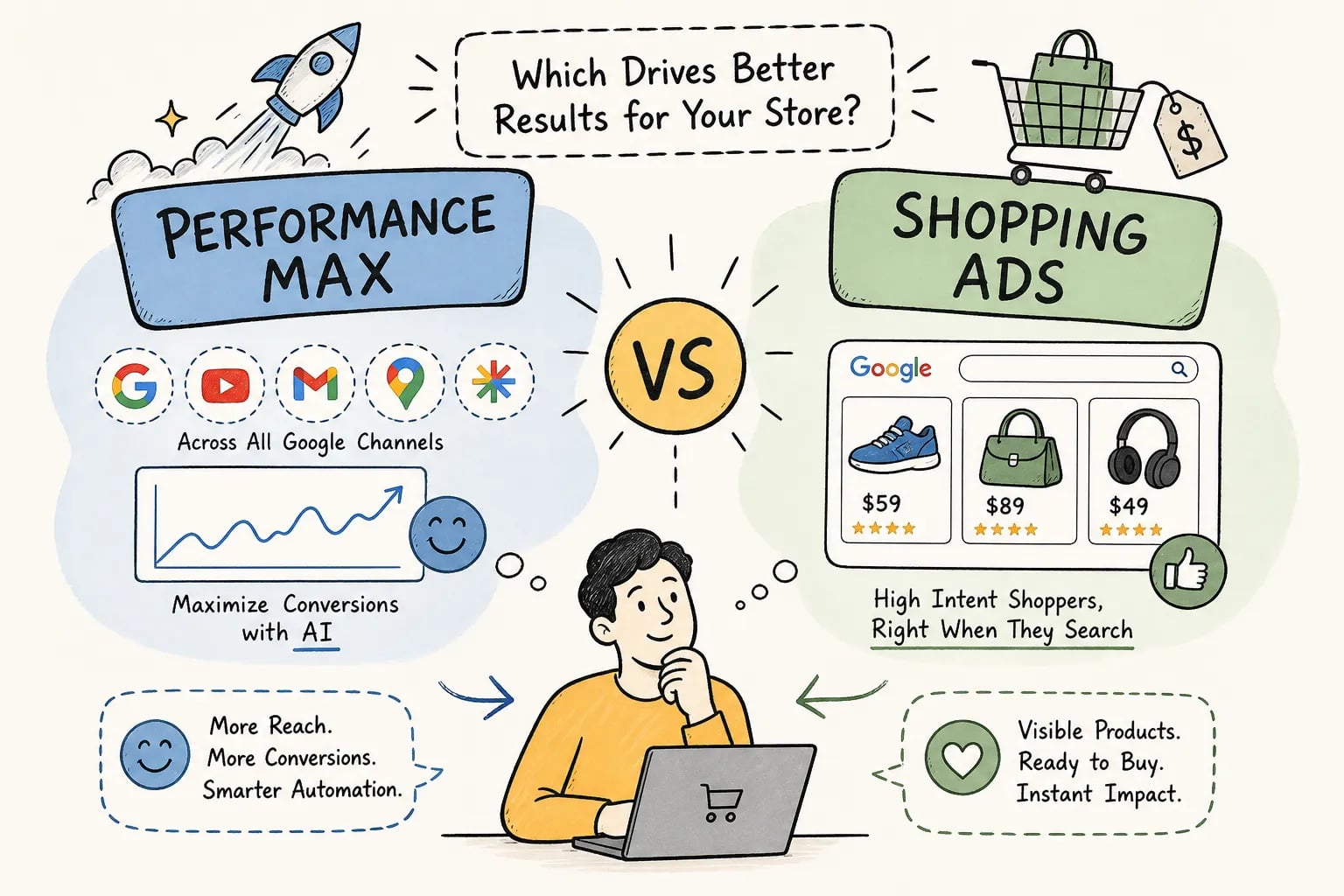
Pull 90 days of performance data, classify your catalog by revenue contribution and gross margin, and apply labels before touching any bids. This segmentation is the foundation of the structured rebuild process that EcomTalkPoint uses when taking over underperforming Shopping accounts. Without margin-tier segmentation, every bid optimization is a guess. Standard Shopping gives you full control over this segmentation; Performance Max works better as a volume engine for broader catalog coverage once your high-value products are isolated and protected.
Strategy 4: Campaign priority settings and the three-tier architecture
Within Standard Shopping, campaign priority tells Google which campaign to enter first when the same product exists across multiple campaigns. High priority doesn’t mean higher bids; it means Google checks that campaign first. That makes it the right place for generic, lower-intent queries where you want to control spend tightly with a lower bid. Low priority campaigns capture product-specific, high-intent queries that get filtered down from upper tiers through your negative keyword architecture.
Brand traffic belongs in its own dedicated campaign. Leaving branded searches mixed into broad catalog traffic means you’re either overbidding on non-brand queries or underbidding on your own brand terms. Separate it, bid explicitly on it, and protect that traffic. The goal of the full structure is to make sure your most valuable products are explicitly segmented, not buried in a catch-all campaign where they compete for budget with low-priority SKUs.
3. Query sculpting: routing search intent to the right campaign
Shoppers searching “running shoes” and shoppers searching “Brooks Cascadia 18 size 11 trail” are at completely different stages of the buying process. Without query sculpting, both searches might trigger the same campaign at the same bid, wasting money on broad, unqualified traffic while underinvesting in the high-intent searches that actually convert.
Strategy 5: Build a negative keyword architecture that actually controls traffic
Shopping campaigns match to queries based on product data, not keyword lists, which means negatives are your primary traffic control lever. Run a weekly search term report audit for the first 30 days after any structural change. Patterns emerge quickly: you’ll find irrelevant category searches, low-intent “how to” queries for product types you sell, and competitor terms consuming budget with no return.
Organize negatives by type and apply them at the right level. Campaign-level negatives handle broad traffic control. Ad group-level negatives handle SKU-specific filtering. Many Shopping accounts run with minimal negative keyword lists. Fixing this alone typically cuts wasted spend meaningfully within two to four weeks, with no bid changes required, a practitioner benchmark drawn from account-level audit work, not a universal guarantee.
Strategy 6: The priority-plus-negatives routing system for intent control
The core mechanic is straightforward: Google checks campaigns in priority order, and negatives filter which queries pass through to the next tier. Your generic campaign runs at high priority with a low bid and uses negatives to block brand and product-specific terms. Your brand campaign runs at medium priority with negatives for SKU-level terms. Your product and SKU campaign runs at low priority with the highest bids and catches the most specific, purchase-ready searches.
This setup lets you bid $0.30 on a generic category search and $1.50 on someone searching your exact product name and model number. Without sculpting, you bid the same on both. If one campaign is likely to exhaust daily budget before the others compete, use a shared budget or review spend allocation so high-priority campaigns don’t starve lower-tier campaigns out of the auction entirely.
4. Bid adjustments and smart bidding that protect your margins
Bid strategy selection and device-level adjustments are where a lot of Shopping campaigns leave ROAS on the table. Both decisions need to come from actual performance data, not defaults or assumptions.
Strategy 7: Set device and location bid adjustments from actual performance data
Pull 60, 90 days of device performance data and calculate ROAS and conversion rate separately for mobile, desktop, and tablet. Mobile typically generates more clicks but converts at a lower rate than desktop for most ecommerce categories. If mobile is delivering half the conversion rate of desktop but consuming 60% of your clicks, a negative bid adjustment of 20, 30% on mobile is likely justified. That reallocation alone can move campaign ROAS measurably without touching your campaign structure.
Location adjustments work the same way. Identify geographic segments where ROAS consistently outperforms or underperforms the campaign average and adjust accordingly. Review both device and location adjustments at least monthly; seasonal shifts change performance patterns faster than most advertisers update their optimization cadence. Note that with Target ROAS bidding, Google largely overrides device adjustments, so this lever applies primarily to manual CPC or enhanced CPC setups.
Strategy 8: Target ROAS vs. Maximize Conversion Value: choosing the right one
Target ROAS becomes the appropriate bid strategy once you have sufficient conversion history in the campaign. Google’s published minimum is approximately 15 conversions per 30 days, though performance tends to be more stable closer to 50 monthly conversions; 30 is a reasonable intermediate rule of thumb for accounts in a building phase. Set your tROAS based on unit economics. If your gross margin is 45%, a 300% target ROAS gives you real headroom. If margins are 20%, that same target may be too aggressive to sustain volume. Never set a tROAS target higher than your actual historical ROAS without a clear rationale; Google will restrict impression share aggressively to hit the target and your traffic will collapse.
Maximize Conversion Value works better for campaigns in a growth phase or where the catalog is broad and you’re willing to accept some efficiency variance in exchange for more revenue. Enhanced CPC is a stepping stone, not a destination. Use it when you don’t yet have enough conversion history to trust smart bidding, then migrate to Target ROAS once data volume supports it. Per published industry benchmarks for 2026, Google Shopping ROAS typically ranges from around 3.8x in electronics to 8.2x in jewelry, so your tROAS target should reflect both your vertical and your actual margin structure.
5. Tracking and scaling: measuring what’s actually moving revenue
Optimization decisions are only as good as the data behind them. If your conversion tracking is broken or incomplete, every ROAS figure you’re looking at is directional at best. Getting the attribution stack right isn’t optional; it’s the foundation that makes every other shopping campaign optimization in this list accountable.
Strategy 9: Build the attribution stack your Shopping campaigns depend on
GA4 purchase tracking with full ecommerce parameters is the non-negotiable foundation. The purchase event must fire with transaction_id, value, currency, and items on every completed order. Without those parameters, ROAS figures are estimates, not measurements. Link Google Ads to GA4 with auto-tagging enabled so click attribution carries through to revenue reporting across both platforms.
Enable Enhanced Conversions in Google Ads so first-party customer data improves matching when browser-side signals drop off. This matters more every year as cookie-based attribution continues to degrade. A server-side tagging or Conversion API approach for the purchase event provides a backup signal that isn’t dependent on the browser completing the tag fire successfully. Clean UTM naming and consistent campaign naming in Google Ads keeps blended reporting across channels defensible and prevents revenue from being misattributed to direct traffic.
Strategy 10: How to validate improvements and scale with confidence
Don’t scale budget after a single good week. Look for three to four consecutive weeks of stable ROAS at or above your target before increasing spend. The right signals for scaling are: impression share capped by budget rather than quality, search term reports showing additional high-intent coverage available, and ROAS stable week over week. When you do scale, increase budget in 15, 20% increments rather than doubling overnight. Large budget jumps can destabilize smart bidding algorithms and push campaigns back into the learning phase, per Google’s smart bidding guidance.
Track ROAS by product group after every structural change, not just at the campaign level. A campaign-level ROAS can look healthy while one product group burns the majority of budget at a loss. Schedule a monthly review of your product tier labels, bid adjustments, and negative keyword lists. Campaign conditions shift with seasonality, inventory changes, and competitive dynamics, and your optimization cadence needs to keep pace.
Putting it all together
The sequence matters. Fix the feed before touching bids. Segment products by margin tier before setting campaign structure. Use priority settings and negatives to route query intent to the right campaigns. Set bid adjustments from real device and location data, choose your bid strategy based on actual conversion volume, and build the tracking stack that makes every decision accountable. Shopping campaign optimization isn’t a one-time setup; it’s a continuous process of testing, validating, and scaling what works.
The accounts that consistently produce strong ROAS share one thing: a structured, repeatable optimization system rather than a series of one-off changes. If you’re not sure where your current Shopping campaigns are breaking down, start with an honest audit of your feed quality, campaign structure, and conversion tracking. That audit is where every meaningful improvement begins.
If you want expert eyes on your account, EcomTalkPoint offers Shopping campaign audits built around exactly this framework. The EcomTalkPoint team reviews feed quality, campaign architecture, negative keyword coverage, bid strategy alignment, and tracking accuracy, so you get a clear picture of what to fix first and what the revenue opportunity looks like. Reach out to get started.