
Performance Max vs Shopping Ads is the defining campaign decision facing ecommerce advertisers in 2026. One camp insists Performance Max is the future of paid search. The other swears Standard Shopping still wins on ROAS. Both sides have real data behind them, which is exactly what makes this decision so frustrating. The answer isn’t one-size-fits-all, and anyone telling you it is either hasn’t managed enough accounts or is selling you something.
This article compares Performance Max vs Shopping Ads on the metrics that actually move your business: control, reporting transparency, ROAS benchmarks, budget fit, and scalability. By the end, you’ll have a concrete decision framework, a tested experiment setup you can run inside Google Ads, and six optimization checks to apply once you’ve picked your winner. No filler, no generic advice, just the real trade-offs so you can stop guessing and start spending smarter.
What actually separates these two campaign types
The inventory reach difference
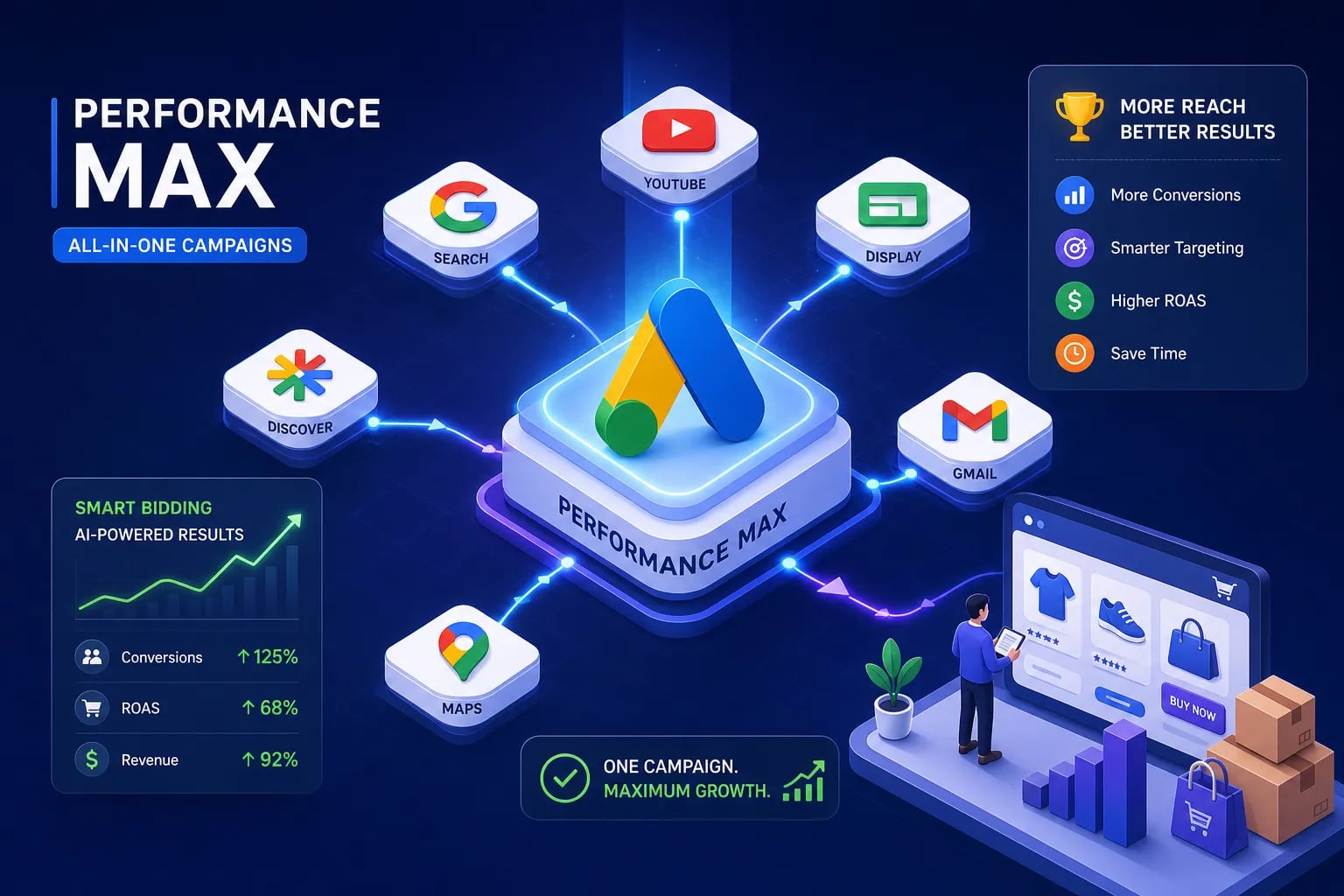
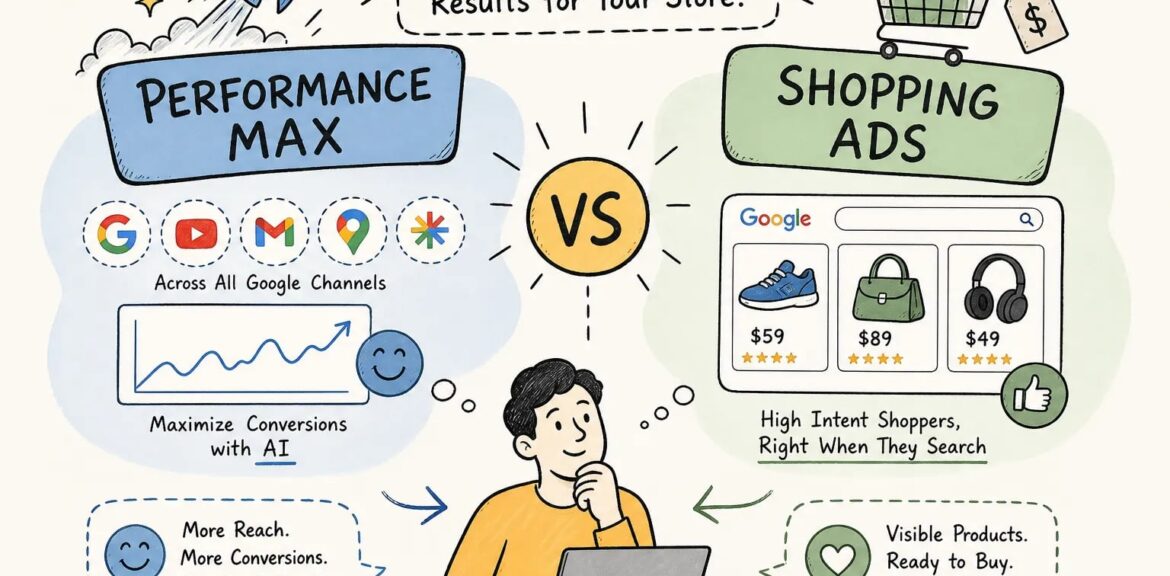
Performance Max runs across Google’s entire ad inventory from a single campaign: Search, Shopping, Display, YouTube, Discover, Gmail, and Maps. Standard Shopping runs on Google Search and the Shopping tab only. PMax pulls from your Merchant Center product feed as its foundation, then layers automation on top to serve ads across all those surfaces simultaneously. That broader footprint is the core value proposition, and also the source of most advertiser frustration.
Where your control actually lives in Standard Shopping
Standard Shopping hands you a genuine set of levers: product-level bid adjustments, device modifiers, dayparting, negative keywords at both the campaign and ad group level, and direct segmentation of your catalog by priority, product group, or margin tier. You can isolate your highest-margin SKUs, suppress irrelevant queries, and push or pull bids with surgical precision. None of these controls exist in PMax with the same fidelity, and that gap grows more consequential as catalog size and account complexity increase.
The core trade-off in plain terms
PMax trades granular control for automated reach expansion. Standard Shopping trades scale potential for precision and predictability. Neither campaign type is universally better. The right answer depends entirely on your conversion volume, catalog depth, budget, and how much ambiguity you can tolerate in your reporting.
The reporting gap that changes how you optimize
What you can’t see inside Performance Max
The most common complaint from advertisers is that PMax operates like a black box. You don’t get query-level search term data, only broad search categories grouped together. There’s no channel-level spend breakdown showing how your budget splits between Shopping, YouTube, Display, and other surfaces. Impression share data is limited, and visibility into which audience segments are consuming your budget is weak at best. When performance drops, you’re often left guessing at the cause rather than diagnosing it.
What Standard Shopping shows you clearly
Standard Shopping’s search terms report gives you the actual queries that triggered your ads, which means you can cut waste fast. Impression share metrics tell you where you’re losing ground and to whom. Product-level performance data sits directly inside Google Ads, making it straightforward to identify underperforming SKUs and act on them. The diagnostic path from “something’s wrong” to “here’s the fix” is significantly shorter than in a PMax account.
Why the data gap matters for your ROAS decisions
When PMax performance dips, identifying the cause takes longer, and longer diagnosis means more wasted spend before you can course-correct. In Standard Shopping, you have the tools to spot the problem quickly and adjust with confidence. For accounts running on thinner margins or with smaller budgets where every dollar counts, this visibility difference has direct dollar consequences. It’s not just a reporting preference. It’s a genuine optimization advantage.
Performance Max vs Shopping Ads: What 2025, 2026 benchmarks actually show
When Performance Max wins on conversion volume
The benchmark data leans in PMax’s favor on volume. Google’s own figures report PMax delivers approximately 18% more conversions at a similar CPA compared to Standard Shopping alone, with retail-specific data putting that closer to 27% more conversion value at comparable ROAS targets. Internal account analyses from several large PPC agencies have found 20%+ higher conversion value on average for PMax campaigns in well-optimized accounts. The reason is straightforward: PMax accesses more inventory and reaches shoppers at earlier stages of intent, which lifts total conversion volume.
Some 2026 benchmark datasets show PMax averaging a ROAS advantage of roughly 15, 19% over Standard Shopping in higher-volume accounts. Other data tells a more cautious story, median advertiser figures from 2025 showed PMax ROAS running slightly below Standard Shopping in Q2, then PMax conversion rate edging higher by Q3. The consistent pattern: better-optimized, higher-volume accounts tend to show PMax pulling ahead over time.
When Standard Shopping wins on ROAS and profit margin
The counter-data is equally real. Internal account analysis from Q2 2026 found Standard Shopping won on net profit margin in the majority of lower-conversion accounts tested, even when PMax led on reported ROAS, because tighter negative keyword control reduced wasted spend. In accounts generating fewer than 50 monthly conversions, Standard Shopping consistently outperformed PMax on ROAS. Separate 2026 account data shows Standard Shopping outperforming PMax on ROAS in certain higher-budget scenarios where traffic intent is already strong, which flips the conventional narrative.
The pattern is consistent across sources: PMax excels when it has enough conversion signal to learn from and enough budget to explore across channels. Standard Shopping holds the profit edge when traffic is already high-intent, budgets are tight, or negative keyword discipline is doing meaningful work to filter out low-quality queries.
How to decide which campaign type fits your store right now
Those numbers only matter if they map to your specific situation. Here’s how to read your own account conditions honestly.
Signs your store is ready for Performance Max
The single biggest readiness signal is conversion volume. PMax’s automation needs data to learn, and without it, the campaign stumbles through the learning phase burning budget. The commonly cited threshold is at least 30 monthly conversions, with 50 or more giving the algorithm a much stronger foundation.
Beyond volume, PMax makes the most sense when your catalog spans multiple categories or SKUs that benefit from broader audience exposure, your primary goal is new customer acquisition, and your budget gives the campaign enough runway to exit the learning phase without collapsing your ROAS targets.
When Standard Shopping is still the smarter choice
Smaller budgets favor Standard Shopping because the cost of wasted spend is proportionally higher and the lack of PMax’s black-box reporting becomes more dangerous. Stores with a narrow SKU set and highly specific search intent are better served by the precision Standard Shopping offers. If branded query control is critical to your strategy, or if margin protection is the primary goal rather than volume growth, Standard Shopping gives you the tools to manage that directly. It’s not the “old” option, it’s the right option for specific account conditions.
A note on Smart Shopping legacy
Standard Shopping also has a cleaner historical track record for accounts that remember Smart Shopping campaigns. Smart Shopping was Google’s previous automation layer on top of Standard Shopping, and it was deprecated in 2022 when PMax replaced it. Many of the frustrations advertisers had with Smart Shopping, limited transparency, black-box optimization, carried directly into PMax. Accounts that struggled with Smart Shopping often find Standard Shopping’s transparency a meaningful operational advantage, especially during volatile traffic periods.
Matching campaign choice to catalog size, budget, and growth stage
Getting this decision right requires an honest read of your specific account, not a generic rule of thumb. At EcomTalkPoint, we evaluate each client’s catalog depth, current conversion volume, monthly budget, and growth stage before recommending any campaign mix. The wrong campaign type at the wrong stage of business is a reliable way to burn budget without meaningful return. The framework matters, but so does the context you apply it to.
How to run a clean A/B experiment to find your actual winner
Setting up the experiment in Google Ads
Google’s native Experiments tool makes this test straightforward to configure. Navigate to Campaigns, then open Experiments, and click the plus button to create a new experiment. Under “What do you want to test,” choose Campaign types. Under “Choose a variable to test,” select Performance Max vs Search, Display, or Shopping, then set Campaign type to Shopping. Click “Select campaign” and pick a mature Standard Shopping campaign that isn’t already part of another experiment. From there, configure your traffic split and set start and end dates.
A 50/50 traffic split gives you the cleanest read. The control campaign should be mature and out of its learning phase before the test begins. Don’t use a newly launched Standard Shopping campaign as your control, the comparison needs a stable baseline to mean anything.
Making the test valid and reading the results correctly
Run the experiment for at least six to eight weeks. Shorter windows don’t give PMax enough time to exit its learning phase, which means you’re not comparing campaign types at their best. Avoid changing settings in only one arm of the test mid-run, since that biases your results. Keep product sets, ROAS targets, and feed coverage aligned across both campaigns so the test isolates campaign type as the variable, not inventory differences.
When reading results, don’t stop at ROAS. Compare conversion value and net profit margin alongside it. A campaign that shows higher ROAS but looser query matching can still underperform on profit, and account-level data consistently confirms this pattern. A clear winner shows advantage across multiple metrics, not just one. An inconclusive result after eight weeks usually means you need more run time, not a different campaign setup.
Six optimization checks to maximize whichever campaign you choose
PMax-specific improvements that move the needle
Audience signals built from first-party data. Lead with Customer Match lists of your highest-value buyers and recent purchasers, then layer in custom segments built from high-intent search terms and product-specific queries. Broad demographic guesses are the lowest-value signal you can give Google’s algorithm. First-party data is the highest, and the gap between them shows up in performance within weeks.
Tightly themed asset groups. Build one asset group per product category or audience intent theme, not one massive group for your entire catalog. Mixing unrelated signals and creatives into a single asset group degrades performance because the algorithm can’t find a coherent match between the asset and the query. Cleaner segmentation gives the automation a clearer brief.
Merchant Center feed quality. Accurate titles, GTINs where applicable, complete product attributes, and clean imagery directly affect PMax’s product-matching quality. A weak feed produces weak results regardless of how well the rest of the campaign is configured. Audit the feed before you audit anything else.
Standard Shopping refinements for tighter ROAS control
Regular negative keyword expansion using the search terms report. Schedule a weekly review and cut irrelevant queries before they compound into significant wasted spend. This single habit has a larger impact on profit margin than most bid strategy changes.
Product segmentation by margin tier or conversion rate. Your highest-value products should receive proportionally higher bids rather than competing for budget with lower-margin SKUs at the same bid level. Flat bidding across a mixed catalog is one of the most common profit leaks in Standard Shopping accounts.
Impression share monitoring by product group. Track where you’re losing share to budget versus losing to rank, the correction for each is different. Losing to budget means increasing spend or tightening the product set. Losing to rank means adjusting bids or improving feed quality for those specific SKUs.
Performance Max vs Shopping Ads: Making the final call
Performance Max wins on volume and reach when your conversion data is strong enough to feed its automation. Standard Shopping wins on control and profit margin when budgets are tighter or traffic is already high-intent. The benchmark data supports both outcomes depending on account conditions, which is exactly why a blanket recommendation doesn’t serve ecommerce store owners well. Anyone who tells you one campaign type always wins hasn’t looked at enough accounts.
When deciding between Performance Max vs Shopping Ads, run a structured experiment, read results at the profit margin level rather than just ROAS, and apply the six optimization checks to whichever campaign earns the budget. The right answer for your store in 2026 might shift in 12 months as Google’s automation continues to evolve and your account accumulates more conversion history. Build the habit of testing, and you’ll always know where your dollars perform best instead of relying on someone else’s benchmark to make that call.
If you want a second set of eyes on your current campaign setup before running the experiment, the team at EcomTalkPoint offers PPC audits specifically built around these decisions. Get in touch and we’ll walk through what your account data actually shows before you move a single dollar.