

Most ecommerce stores running Google Shopping are losing impressions and burning budget for a reason that has nothing to do with targeting. The product feed is broken, incomplete, or built on whatever Shopify or WooCommerce exported by default. Product feed optimization is the discipline that fixes this: Google reads that data file and decides which searches trigger your ads, what your listing looks like next to competitors, and whether you show up at all. Fix the feed and everything downstream improves. Ignore it and no amount of bid adjustment will save you.
At EcomTalkPoint, every Google Shopping Ads campaign build starts with a full feed audit before a single dollar goes live. Clean, accurate product data is the foundation the entire campaign runs on. Without it, even the best bidding strategy is working against bad inputs.
This guide covers the highest-leverage fixes in the order they matter: title structure, attribute completeness, image quality, custom label segmentation, and feed health monitoring. By the end, you’ll have a clear, prioritized action plan you can run on your catalog today.
Why your product feed controls your Google Shopping results
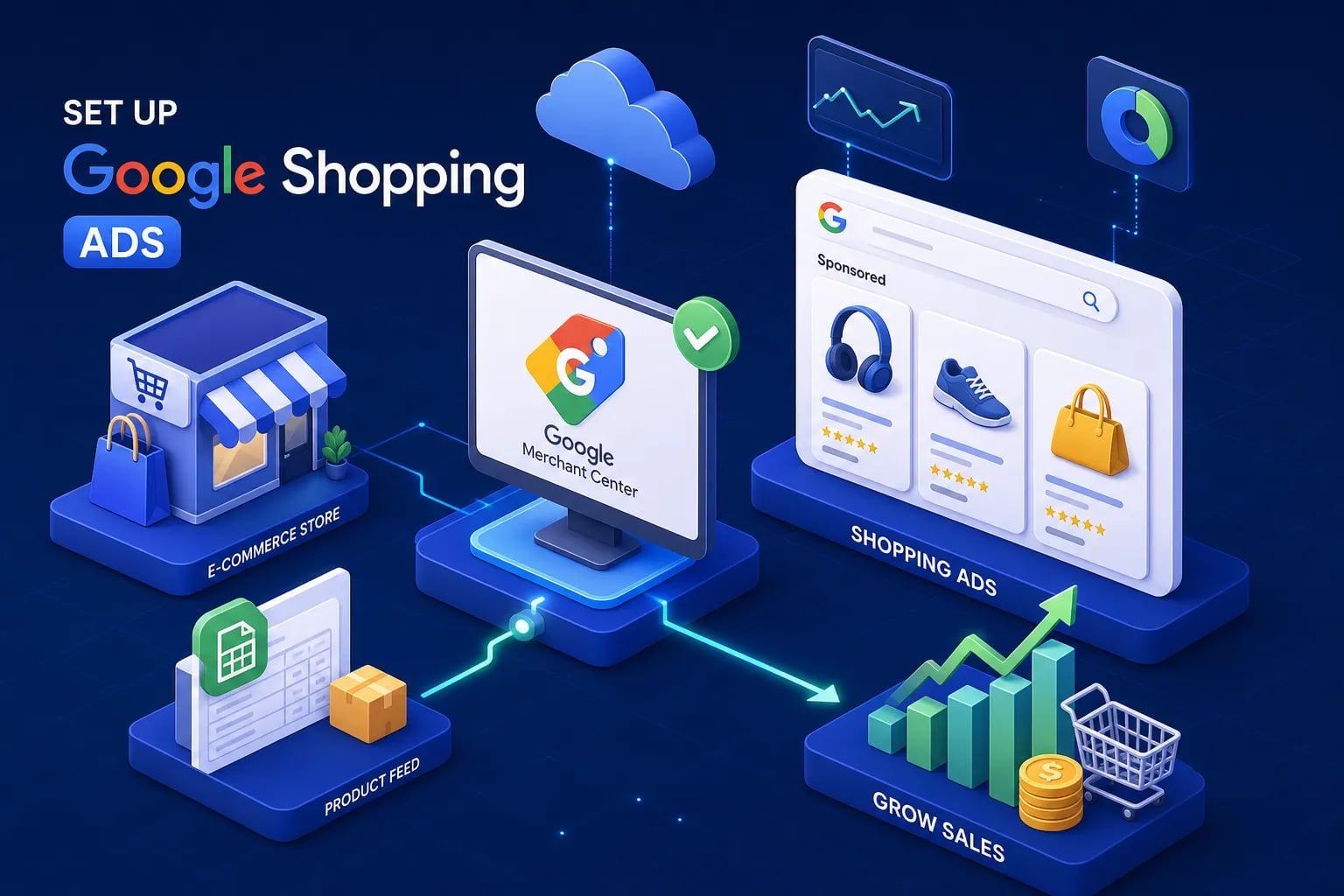
Google Shopping doesn’t crawl your website in real time. It reads the data file you submit to Merchant Center, and every title, price, image URL, and attribute in that file becomes the raw material Google uses to match your products to search queries. The better the data, the better the matching, and the better the impressions and click quality you get out the other side.
Poor feed quality creates two direct and measurable consequences. First, lower impression share: Google can’t confidently match your products to relevant searches, so you simply don’t appear. Second, lower CTR: your listing looks incomplete or irrelevant next to competitors who have clean, detailed data. One Reddit case study tracking a title rewrite over 86 days showed clicks up 20%, CTR up nearly 15%, and conversion value up over 43%. That’s the financial cost of ignoring feed quality, playing out in real numbers.
The most common mistake is launching Shopping campaigns with the platform’s default export and treating feed optimization as something to handle later. Later rarely comes, and the campaign underperforms for months before anyone looks at the actual data. The rest of this guide is the fix.
Product feed optimization starts with titles that match queries and drive clicks
The title is the single highest-impact attribute in a Google Shopping feed. It controls both query matching and what shoppers actually read when comparing listings. The proven structure that consistently outperforms platform defaults is: Brand + Product Type + Key Differentiating Attributes, with the most important terms placed at the front of the 150-character limit since Google truncates long titles in most ad formats.
The difference between a weak title and a strong one is concrete. “Blue Jacket Men’s” gives Google almost nothing to work with and gives shoppers no reason to click. “Patagonia Men’s Nano Puff Hooded Jacket, Navy Blue, Medium” tells Google exactly what the product is, who it’s for, and how it differs from the other jackets in the catalog. The right attributes by category look like this:
- Apparel: Brand, gender or audience, product type, color, material, size
- Electronics: Brand, model number, product type, key specs such as storage or screen size
- Home goods: Brand, material, product type, style, size or dimensions
The mistakes that kill title performance are generic descriptions, vague adjectives like “great quality” or “premium,” duplicating the same title across variants without distinguishing attributes, and stuffing in terms that don’t match what shoppers actually search. Titles that treat every product in the catalog identically are one of the fastest ways to leak impression share.
Attribute completeness: the fields that actually move the needle
Required fields and what Google now expects
The required minimum for Google Merchant Center includes id, title, description, link, image_link, price, availability, brand, and GTIN or MPN where applicable. Submitting only those required fields creates a feed that clears Google’s bar without coming close to its traffic ceiling. Google’s 2026 requirements have also tightened expectations around shipping attributes, return method disclosures, and variant data, making completeness more important than it was two years ago.
GTINs, google_product_category, and brand
GTINs are among the most underutilized attributes in most feeds. Google’s own Merchant Center documentation cites an average 20% increase in clicks for retailers who add correct GTINs, because they give Google the confidence to match your product accurately in competitive auctions. Brand helps with trust and precision in branded search terms. Assigning a specific google_product_category using Google’s full taxonomy, rather than a vague parent node, improves match precision and impression quality across the board. These three attributes together form the backbone of any effective merchant center feed optimization effort.
Custom labels for campaign segmentation
Custom labels are where you shift from Google’s data to your own. The five available slots (custom_label_0 through custom_label_4) let you tag products with business logic: margin tier, bestseller status, seasonal priority, clearance flag, price band. These labels don’t affect how Google indexes your products, but they let you segment campaigns and apply different ROAS targets with real precision.
A practical default setup assigns label 0 to margin, label 1 to price range, label 2 to performance tier, label 3 to seasonality, and label 4 to promotional status. Tagging high-margin products with a custom label, then isolating them in a separate campaign with a lower ROAS target, is one of the most effective and underused bidding strategies in ecommerce Shopping campaigns.
Image quality for product feed optimization: the visual lever most sellers ignore
Google Shopping is a visual format. Shoppers compare listings side by side, and the image is often the first thing evaluated before the title and price even register. In most direct-response Shopping categories, clean, large, product-focused images on a white or neutral background outperform lifestyle shots or low-resolution alternatives. Image upgrades are among the fastest ways to move click performance without touching bids, making image_link one of the highest-ROI fields in the feed spec.
Google’s 2026 image requirements set a new practical minimum of 500 x 500 pixels, with enforcement beginning January 31, 2027. The recommended resolution for optimal performance across listing formats is 1500 x 1500 pixels or larger. Images must show the actual product clearly, no watermarks, no promotional text overlays, no borders, no placeholders. The product should occupy roughly 75% to 90% of the frame, centered and well-lit.
The additional_image_link attribute is one of the most overlooked fields in most feeds. It allows multiple images per product, enriching the listing especially in mobile formats. Most stores don’t use it at all, leaving a straightforward CTR improvement sitting unused in the feed spec. The most common image issues that cause disapprovals and low click rates are blurry or low-resolution photos, lifestyle-only shots without a clear product view, images showing multiple products when only one is listed, and placeholder images pulled from a poorly configured CMS export. Most of these are fixable at the feed level without reshooting the entire catalog.
Feed health monitoring: catching problems before they kill performance
Google Merchant Center’s Diagnostics tab surfaces item-level disapprovals, warnings, and policy issues across three key sections: item issues, feed processing errors, and policy violations. Most store owners check it once at launch and then ignore it. Feed problems compound over time as products go out of stock, prices change on the site but not in the feed, or new policy requirements roll out without anyone noticing.
A sustainable monitoring cadence runs at three levels. Before campaign launch, a full feed audit is non-negotiable, this is your product feed audit checklist moment, and skipping it means going live with unknown errors. Each week, a quick health check on disapproval rate and impression share catches issues before they erode performance. Each month, a deeper audit of attribute completeness and title performance against your category formula keeps the feed trending in the right direction. A sudden drop in impressions is frequently a feed problem, not a bid problem. Checking the Diagnostics tab first saves hours of troubleshooting in the wrong direction.
For stores with large catalogs, rule-based feed management platforms (FMPs) like DataFeedWatch or Channable automate mapping, title formatting, and error flagging across thousands of SKUs. Enterprise catalogs handling complex normalization across multiple channels often use platforms like Feedonomics or Productsup. These tools reduce manual maintenance time significantly, but they still require someone who understands feed strategy to configure the rules correctly. Automation only works as well as the logic behind it.
What a feed-first campaign build actually looks like
Most agencies launch Shopping campaigns with whatever feed the client already has, then spend months adjusting bids against bad data. A feed-first approach means auditing and cleaning the data before a single ad goes live, because bids and budgets sit on top of feed quality, and a weak foundation means the campaign is working against itself from day one.
At EcomTalkPoint, hands-on feed optimization is built into every Shopping Ads campaign build as a core deliverable, not an optional add-on or a future project. That means clients go live with title structures rewritten by category, GTIN and brand verification complete, google_product_category assigned at the correct taxonomy level, custom label logic mapped to campaign structure, images reviewed against 2026 requirements, and a Merchant Center diagnostic sweep done before launch. This upfront work directly reduces disapproval rates, improves impression share from day one, and gives the bidding strategy cleaner signals to optimize against.
For stores already running Shopping campaigns with underperforming results, the starting point is a three-step diagnostic: pull the Merchant Center item issues report, check your title structure against the proven formula for your product category, and verify GTIN completeness across your catalog. Those three actions alone typically surface the biggest performance gaps in any underperforming feed.
When you’re ready to bring in expert support, the team at EcomTalkPoint applies an audit-first methodology that ties product feed optimization best practices directly to measurable ROAS outcomes, reach out to learn how that process works for your catalog.
Start with the feed, not the bids
Product feed optimization is not a technical background task. It is the direct input that determines your Shopping campaign’s visibility, click quality, and conversion rate. Every impression lost and every irrelevant click you pay for traces back to what’s inside that data file.
The priority order is clear: fix titles first using the right formula for your category, complete your attributes with GTINs and accurate google_product_category values, improve image quality to meet 2026 standards, implement custom labels for campaign segmentation, and monitor feed health on a consistent weekly and monthly cadence.
If your Shopping campaigns are underperforming right now, the feed is the most likely root cause, and the most direct place to start.